Setup Protocol
Camera positioning is one of the most common causes of failed survey data. The camera position determines what is visible, how many pixels bats occupy, and whether background clutter confuses the detector. Getting it right before recording starts is far easier than recovering bad footage in post-processing.
-
01
Camera Position
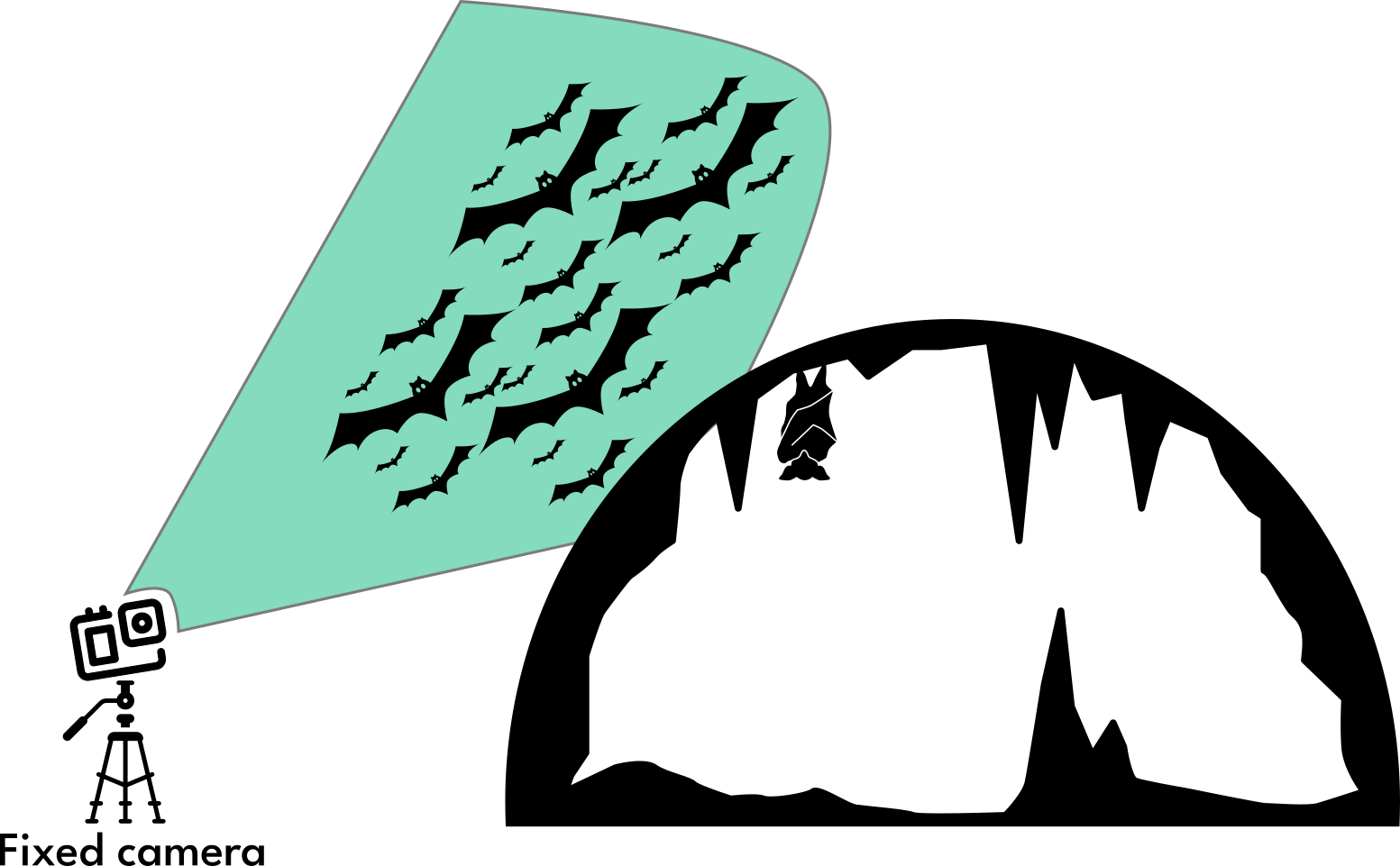
Place your camera on the ground or a low tripod, pointing upward toward the sky. The camera must be completely still during recording — any movement invalidates the background subtraction that the detector relies on.
-
02
Angle Setup
Angle the camera so the sky is the primary background. Bats are warm-bodied and will appear bright against the cooler sky in thermal video. A background of stone, soil, or vegetation creates clutter that increases false positives.
-
03
Frame the Exit
Centre the roost opening in the frame. Every bat that exits must pass through the camera's field of view — if the exit aperture is clipped by the edge of the frame, you will systematically undercount. Check the live view before starting the recording.
Field Tips
Two practical observations from fieldwork that are easy to miss in the protocol documentation.
- Tip 1 — Dusk recording: Recording during dusk emergence, in the 30–60 minutes after sunset, gives you natural sky illumination as a thermal background. This works even with a standard colour camera and is the recommended starting point for teams new to the method.
- Tip 2 — Night and cave surveys: For recordings at full dark, inside buildings, or within cave systems, an infrared or thermal camera is required. The sky-background approach no longer applies; the detector relies entirely on thermal contrast between the bat and the surrounding structure.
Next Steps
Once your camera is positioned and recording, the next question is whether the setup will actually produce data of sufficient quality. Use the camera suitability simulator to verify pixels per bat before committing to a full night's recording.
Continue reading